
Streaming & Foundation Sunshine Integration
Streaming games from a desktop PC to a tablet or phone is one of the most common ways to use Sparxie. It works primarily with Sunshine, and also fits any streaming tool that supports custom launch commands.
If you use Foundation Sunshine, Sparxie is integrated natively into its Web UI. You can add games, switch between touch and keyboard/controller input, and tune display settings in one place without bouncing back and forth between apps.
What Foundation Sunshine Integrates Natively
Section titled “What Foundation Sunshine Integrates Natively”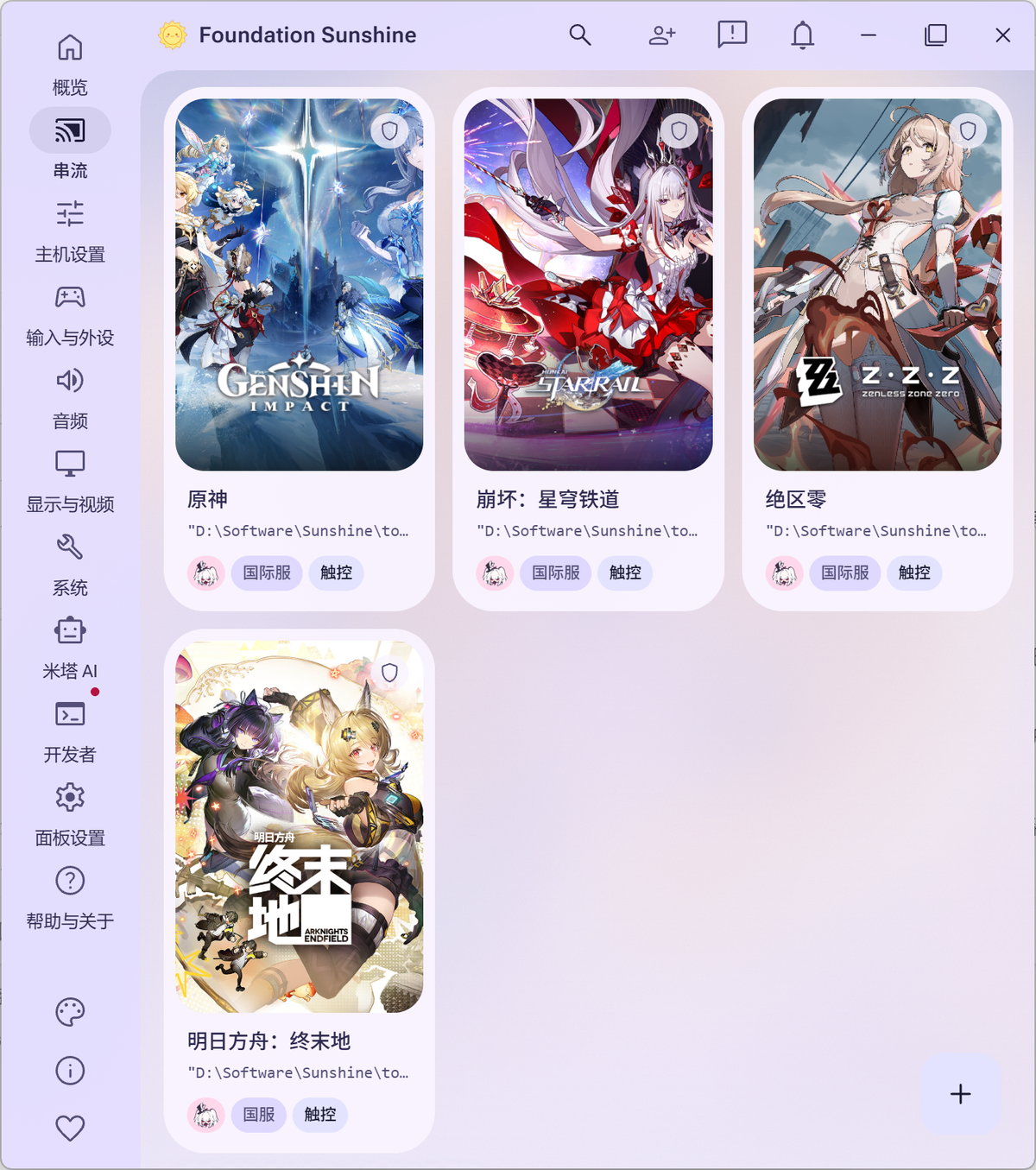
Automatic Game Discovery and Cover Art
Section titled “Automatic Game Discovery and Cover Art”Foundation Sunshine detects your Sparxie installation automatically, scans local game folders across HoYoPlay, Bilibili, Steam, Epic, and official launchers, and creates streaming apps complete with cached official portrait and landscape posters—plus an optional Sparxie badge in the top-right corner. Conflict checks and rollback protection keep your existing config.json safe when saving.
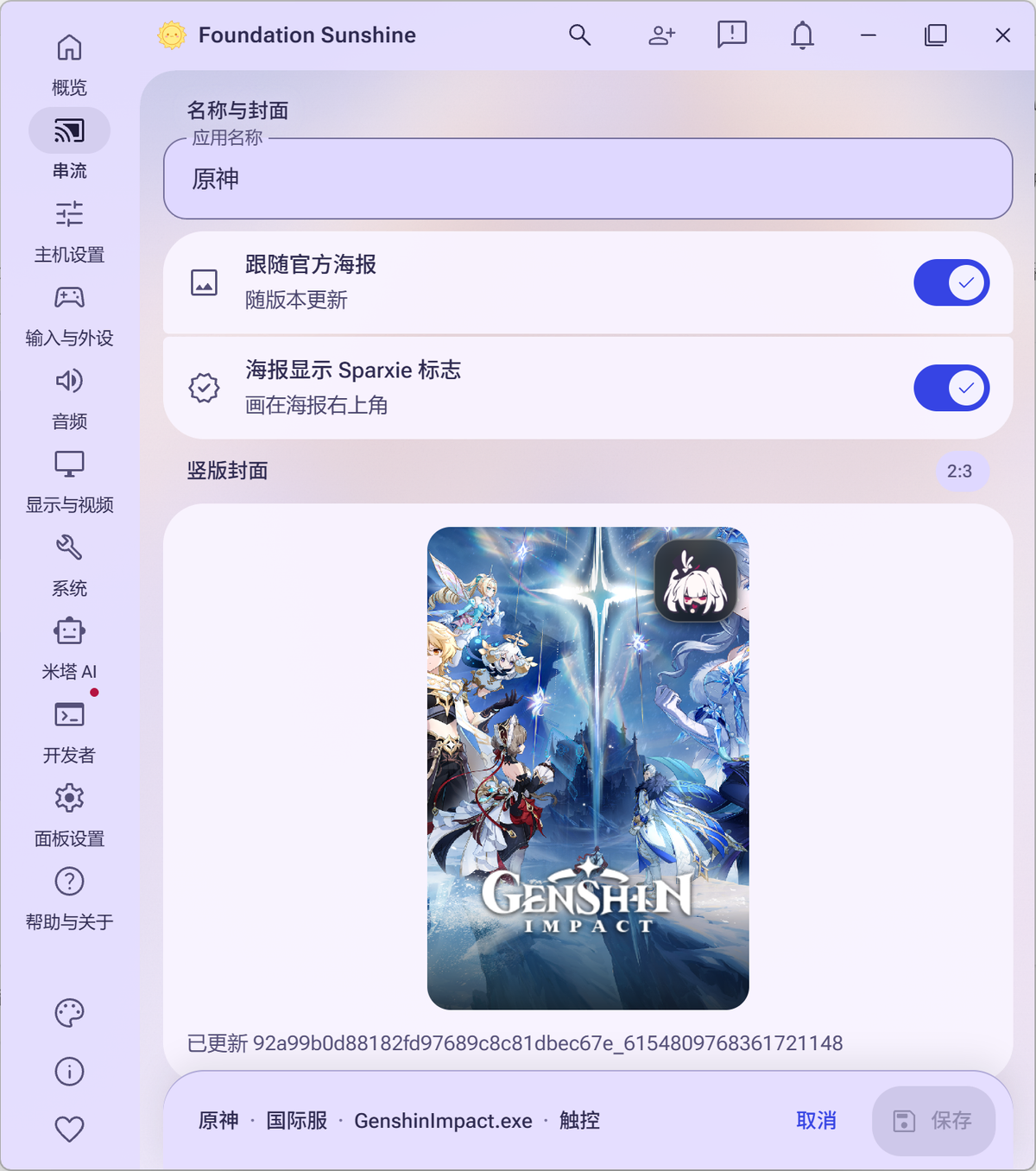
Per-App Touch or Keyboard/Controller Switching
Section titled “Per-App Touch or Keyboard/Controller Switching”Inside each Foundation Sunshine app, choose whether that entry uses Touch or Keyboard/Mouse & Controller.
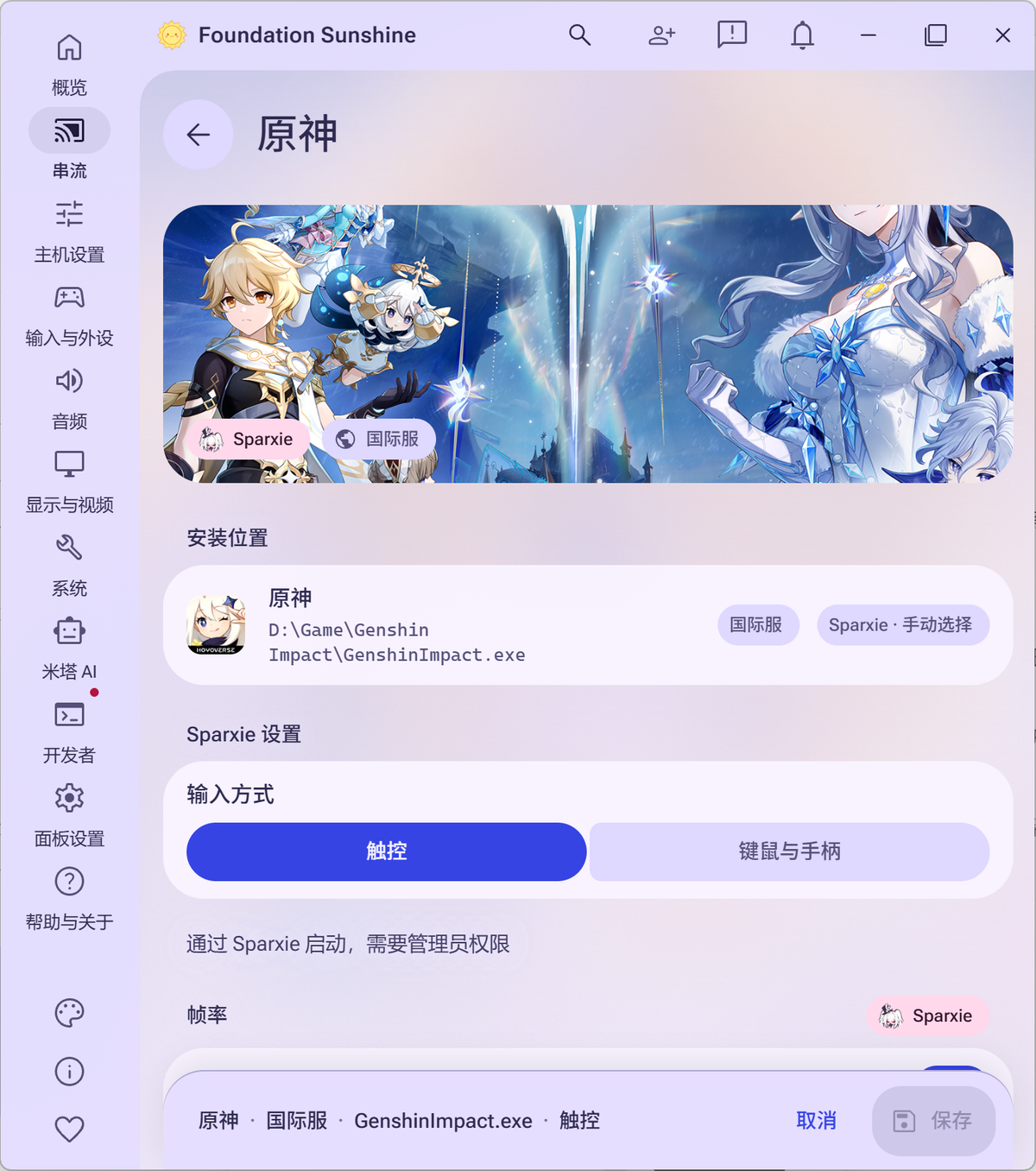
- In Touch mode, Sparxie launches the game with its touch interface enabled.
- In Keyboard/Mouse & Controller mode, Foundation Sunshine tells Sparxie to turn off the touch UI automatically. Genshin Impact and Honkai: Star Rail keep FPS unlocking active, while Zenless Zone Zero skips injection and launches directly.
Target FPS Matched to Your Streamed Screen
Section titled “Target FPS Matched to Your Streamed Screen”You can configure Sparxie’s FPS unlock, background cap, process priority, and Genshin touch UI scale right inside Foundation Sunshine. Set the target FPS to Follow Display and the host reads your active streamed display’s refresh rate before each launch, matching 60Hz, 120Hz, or 144Hz tablets automatically.
Display and Quality Overrides Restored After Exit
Section titled “Display and Quality Overrides Restored After Exit”During streaming, you can override resolution, fullscreen mode, VSync, quality presets, render scale, or HDR while untouched options keep following the game. When the application ends defaults to Restore previous settings, reverting what was written once the game exits. For games such as Genshin Impact and Honkai: Star Rail, any setting you change manually inside the game keeps your latest value.